







freedom
an automatic execution engine that lives on your mac. plan once, press start, and let your day run itself.
import { createCacheStore } from '@freedom/engine';
// Automatic token cache execution block
export async function syncActiveSession() {
const session = await db.tokens.findFirst({ status: 'ACTIVE' });
if (!session) return { score: 0 };
// Deep work in progress... focus lock active
}
1. Ship Auth Token Cache
Phase 1 of 4:Deep Focus Flow
No notifications. Zero context-switching.
How Freedom works.
No 40-minute onboarding. No complex database setups. Here is what your typical workday looks like from 9 AM to 6 PM.
Plan your day in 2 minutes.
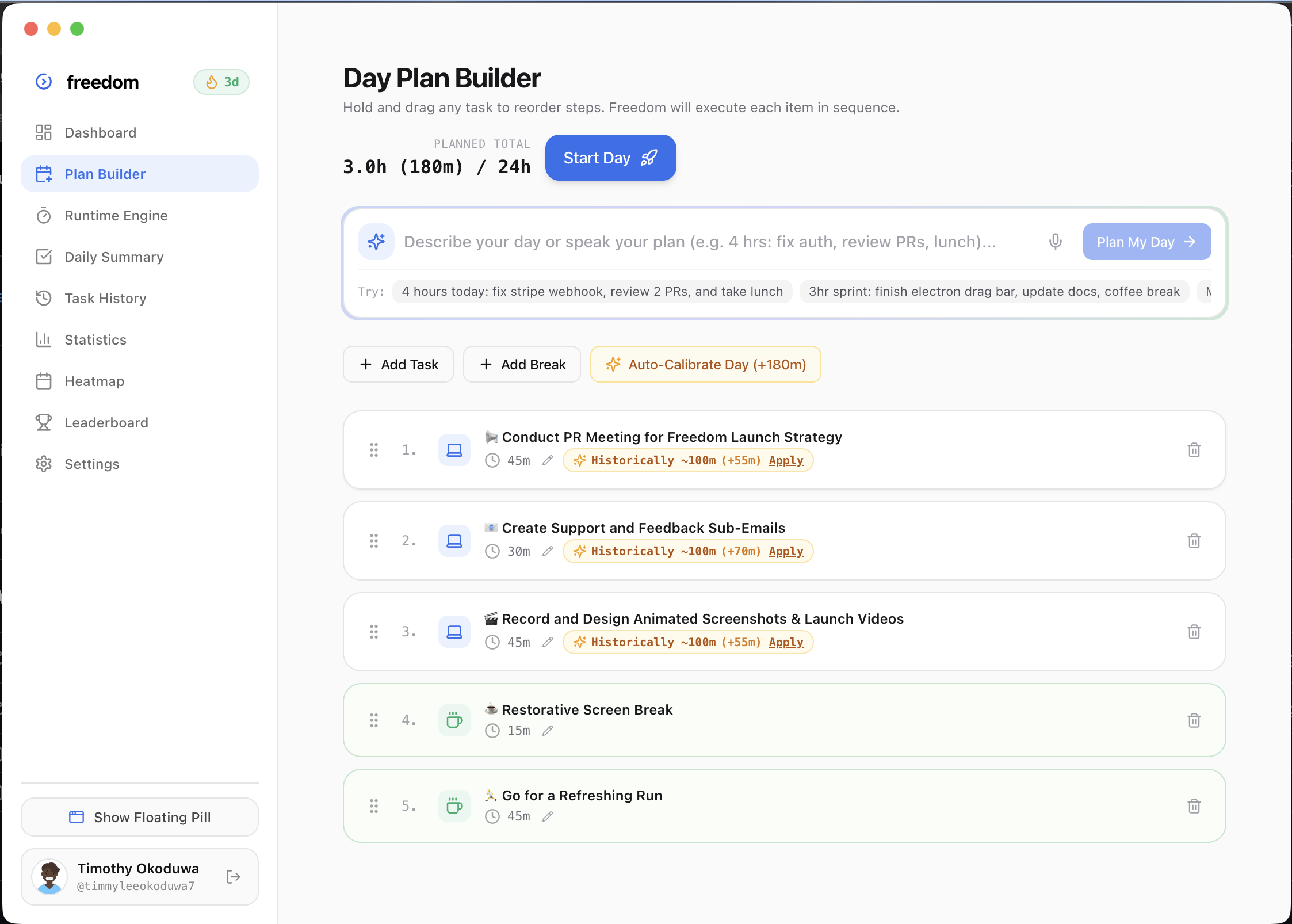
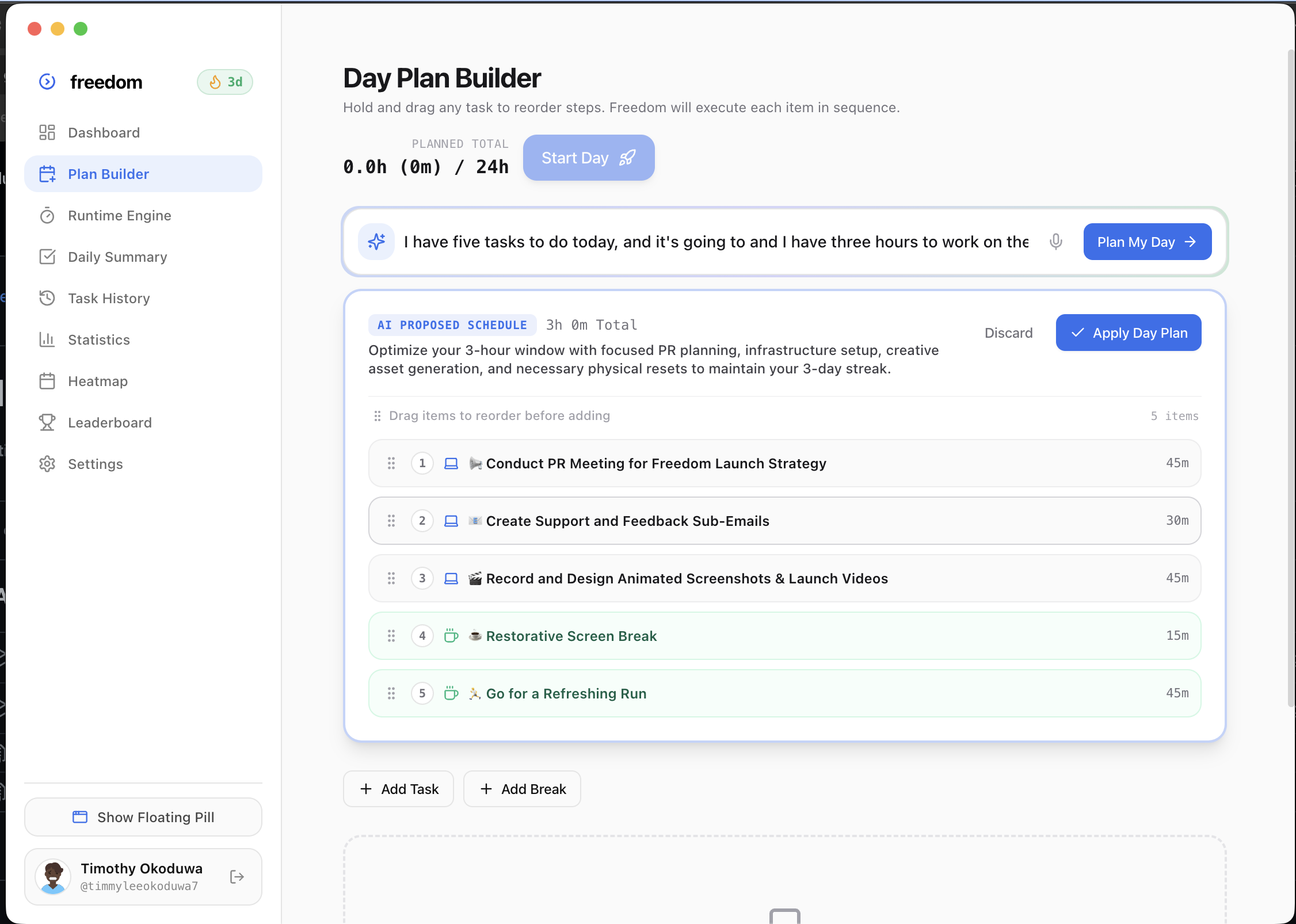
Type your brain-dump or dictate a quick voice memo. Freedom parses what you want to achieve into a realistic chronological schedule with honest duration estimates.
Press “Start Day”.
The main window minimizes. A calm, floating pill stays pinned on top of your screen over your code, design, or browser. You don't watch the clock; the clock guides you.
Review your score at night.
Close your laptop knowing exactly how much deep work you finished. Freedom calculates your genuine execution score, streaks, and calibration velocity with zero manual time tracking.
Look at the app.
See exactly how Freedom looks and feels when you run it natively on macOS and Windows.
Realistic Time Budgets
Safeguards you from scheduling 18 hours of impossible work with visual time limits and automatic break pacing.
Zero App-Switching
A translucent capsule stays quietly above VS Code, Figma, or your browser with live timers, mic commands, and screen AI.
Authentic Focus Streaks
GitHub-style annual heatmap that tracks deep work consistency without vanity badges or manual time tracking.
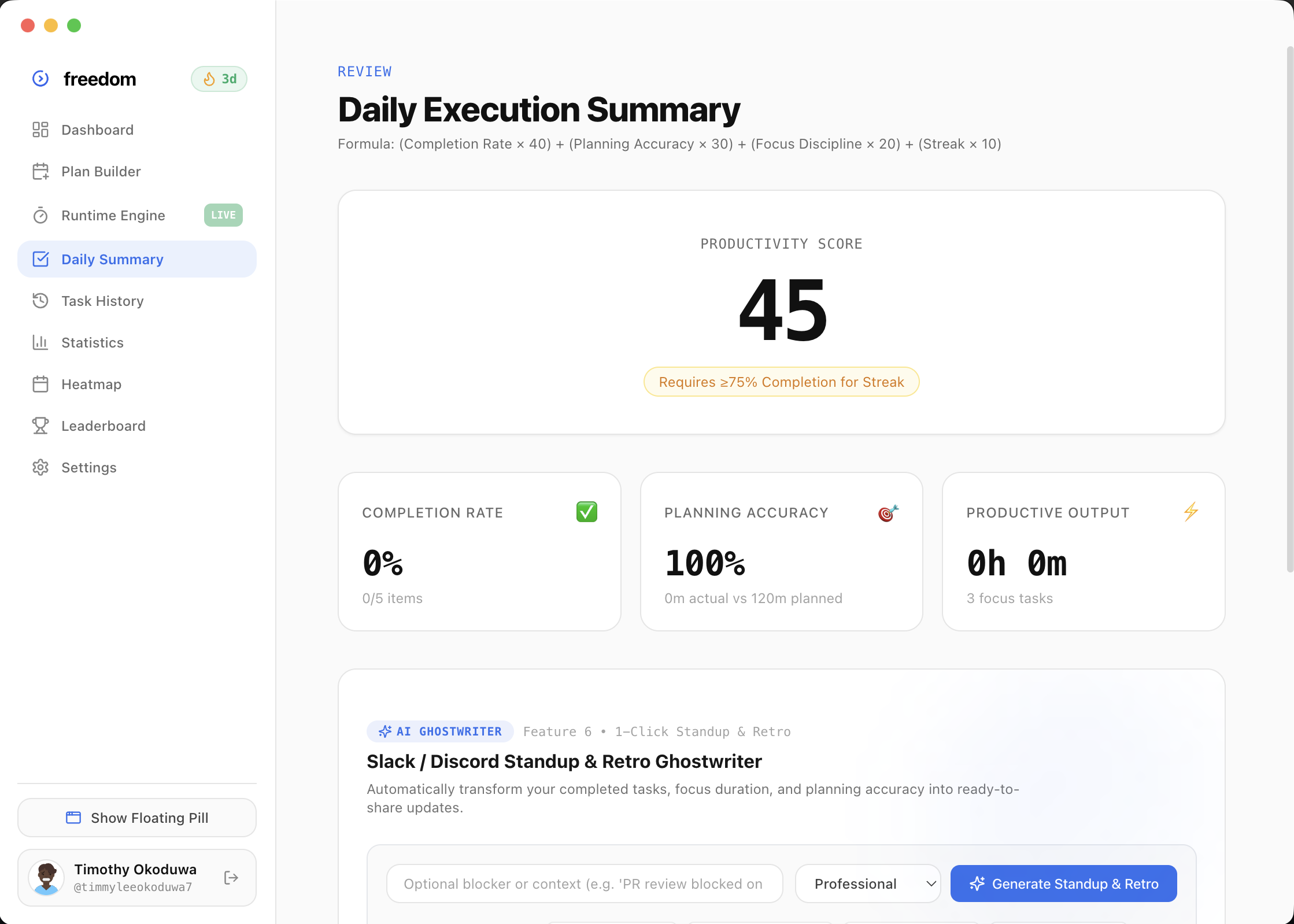
How Freedom scores your day.
No vanity points or fake badges. Freedom tracks genuine time velocity so you stop lying to yourself about how long work takes.
Zero Vanity Points
If a 30-minute task slips into a 3-hour rabbit hole, Freedom records the real duration. Your daily score reflects honest execution.
Empirical AI Protection
Freedom remembers that Bug Fixing regularly overruns by 2.4x. Tomorrow's planner automatically suggests realistic buffer time.
Evening Peace of Mind
When tasks overrun, Freedom recalibrates buffer times and reschedules remaining items so you close your laptop on schedule.
Who is Freedom actually for?
Freedom is built for anyone who sits down at 9 AM with great intentions, opens 25 browser tabs, gets derailed by noon, and wonders where the entire day went by 5 PM.
Normal To-Do Apps
Todoist, Notion, Apple Notes, Asana, sticky notes
- A graveyard of 30 checkboxes: Infinite static lists with zero sense of actual time or cognitive limits.
- Buried behind other windows: The moment you open VS Code or Figma, your list vanishes into another tab.
- One interruption breaks the whole day: A 45-minute morning fire drills your afternoon, and the list rots.
- End-of-day guilt: 3 tasks checked off, 27 pushed to tomorrow. You close your laptop feeling exhausted and behind.
Freedom Execution Engine
Plan once, press start, and let your day run itself
- Time-locked sequential queue: Tasks are scheduled with realistic buffers so you stop lying to yourself about 30-minute tasks.
- Calm floating pill on top of your work: Pins quietly over your screen so you always know what you are doing right now.
- One-click Day Recovery Engine: If an emergency hits, Freedom autonomously shifts lower-priority tasks to the backlog without panic.
- End-of-day satisfaction: A clear execution score, verified deep focus time, and the freedom to close your laptop feeling proud.
An AI copilot that lives with you in flow.
We took frontier multimodal intelligence and broke it out of clunky chat windows. Freedom sees your screen, listens to your voice, recalibrates your day when tasks overrun, and writes your standup updates before you log off.
Turn your messy brain dump into an executable day.
Stop manually budgeting 15-minute intervals. Type any unstructured stream of consciousness or tap the mic to speak your day out loud: Freedom AI parses tasks, sets balanced durations, and lets you drag to re-order.
Voice & Text Input
Dictate thoughts naturally or paste morning notes. Understands natural language context.
24h Budget Balancing
Automatically calculates realistic task intervals that fit safely into your day cap.
Smart Break Insertion
Inserts rejuvenating breaks automatically so you avoid deep-work cognitive burnout.
1-Click Accept
Review the generated timeline in seconds and start execution with one tap.
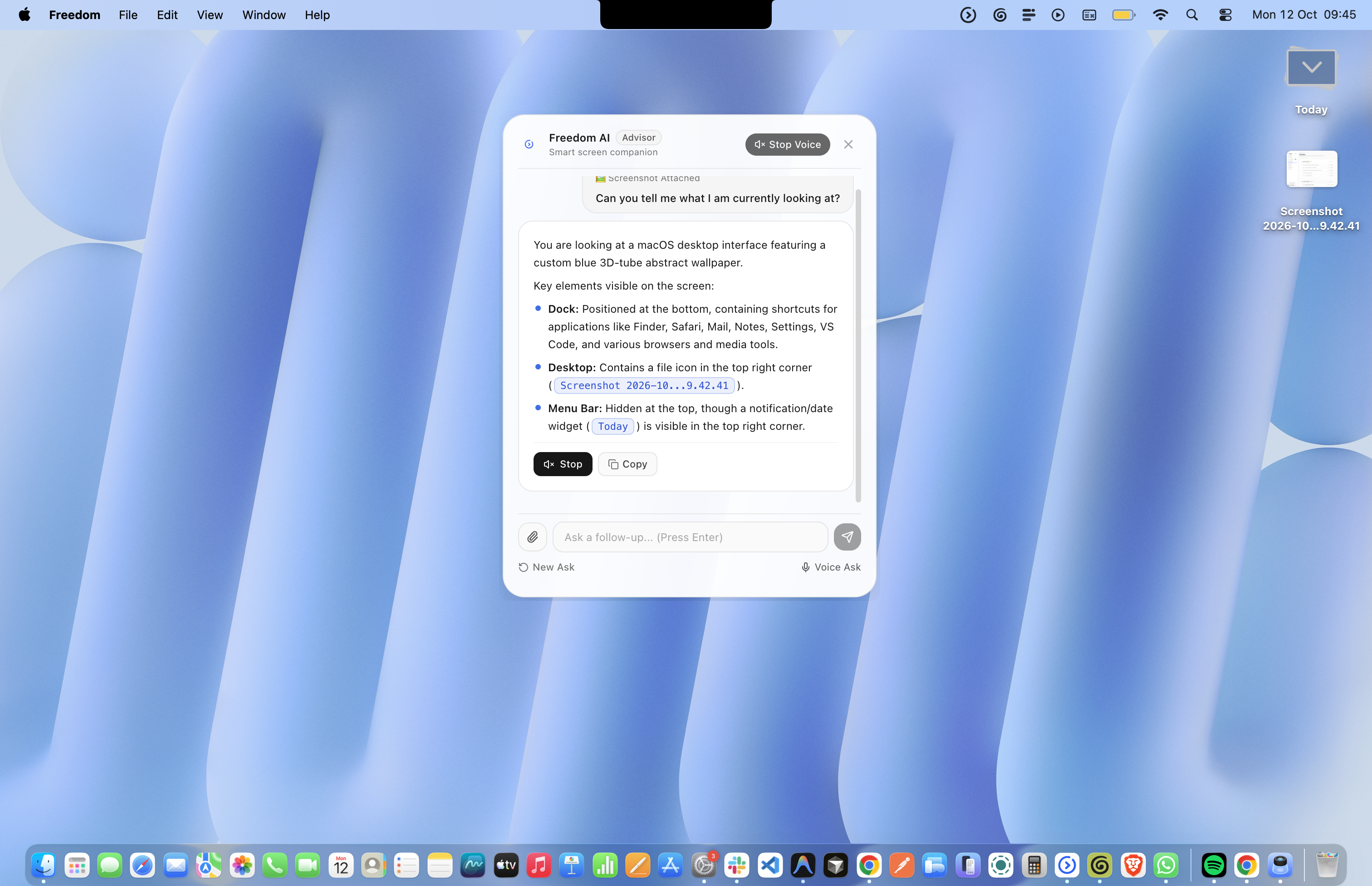
Point your crosshair at any bug. Get unblocked instantly.
Hit Ctrl + Opt + Space anywhere. Drag your crosshair over any terminal error, broken test, or confusing Figma layer. Freedom explains the fix directly on your screen.
Global Crosshair
Activate from any application on macOS or Windows with zero latency or desktop switching.
Terminal Context
Reads stack traces, compiler errors, and command-line outputs with high-fidelity OCR.
Zero Tab Clutter
No opening ChatGPT or switching browser tabs. Get the answer right where your cursor is.
Voice Dialogue
Speak directly while looking at the code to ask follow-up questions hands-free.
Because workdays never go according to plan.
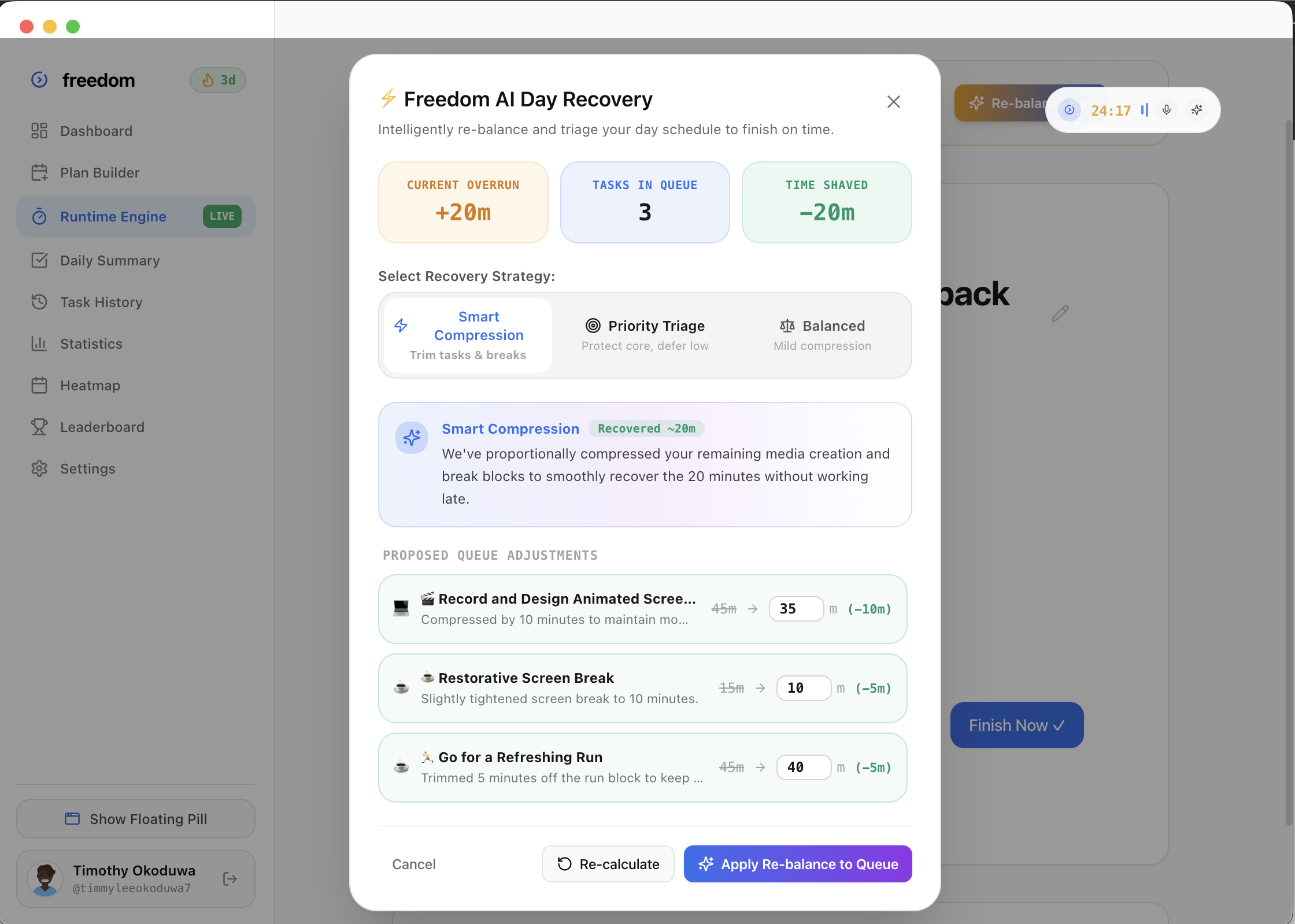
A production bug happens, a meeting runs late, or a task takes twice as long. Traditional schedules collapse into guilt. Freedom detects schedule drift live and intelligently re-balances remaining work.
Drift Telemetry
Flags schedule overruns the moment they occur and calculates downstream impact.
1-Click Rebalance
Compresses buffers and trims low-priority items so you finish your workday on schedule.
Buffer Protection
Preserves essential rest breaks even when complex engineering tasks overflow.
Guilt-Free Flow
Replaces panic and self-criticism with calm, adaptive mathematical recovery.
A mathematical moat against optimism bias.
Humans consistently underestimate task durations. Freedom learns from your actual track record. When you plan a task type that historically runs over, smart badges propose realistic estimates before you start.
Empirical Ratios
Calculates task-specific multiplier ratios (e.g., Code Review: 1.3x) based on past sessions.
Fallacy Warning
Flags optimistic 20-minute estimates when similar tasks have taken 45 minutes on average.
Realistic Buffering
Adds measured safety margins to high-variance tasks like debugging and deployment.
Long-Term Insights
Watch your planning accuracy curve climb month over month as estimates improve.
Your standup update, written before you close your laptop.
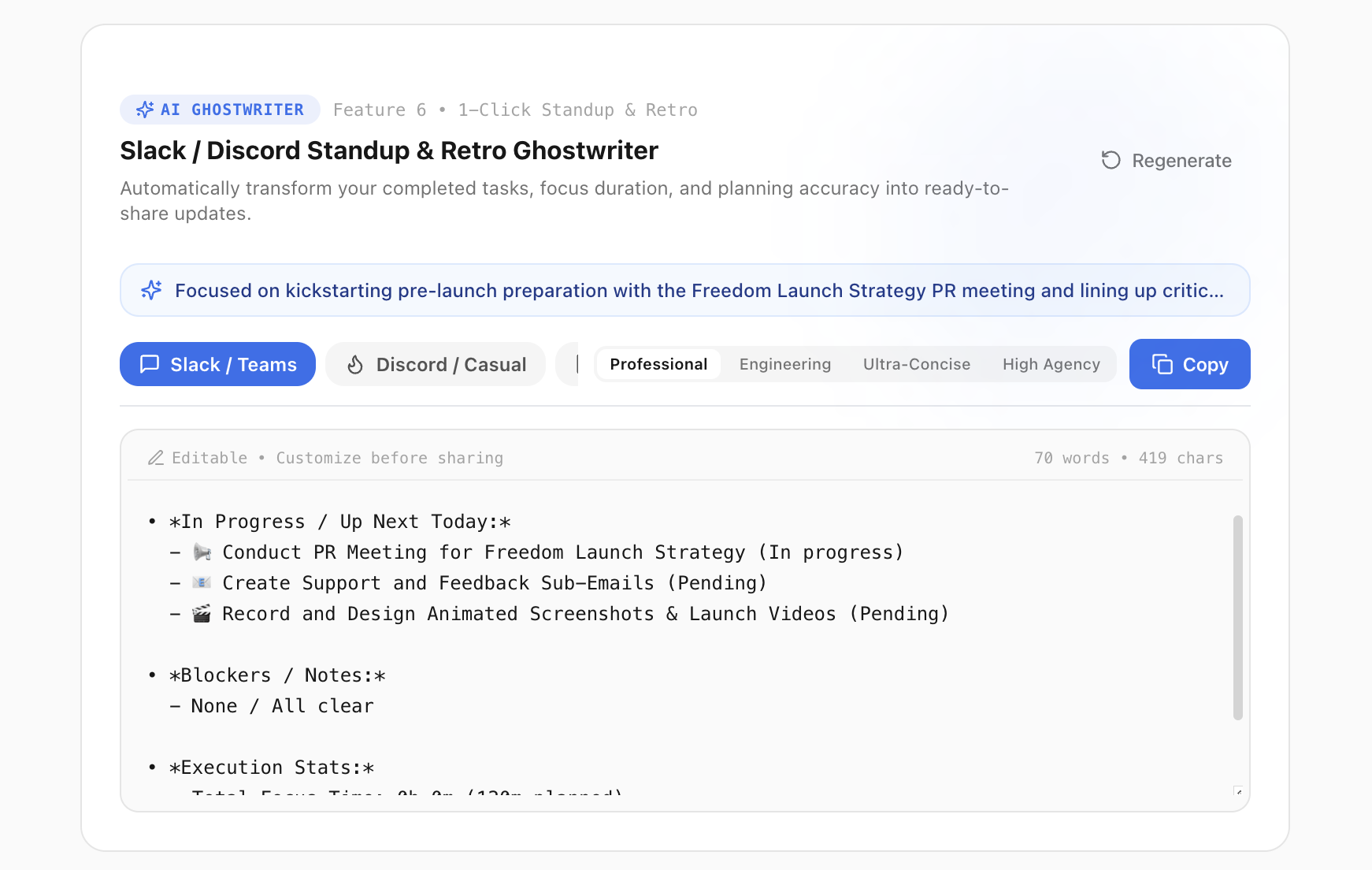
At the end of your workday, don't spend 15 minutes trying to remember what you shipped. Freedom transforms your completed task logs and focus hours into copy-ready standup updates in 4 tailored tones.
Slack & Teams Mode
Formatted bullet points with shipped items, blocked items, and next day priorities.
Discord & Casual
Friendly, concise developer updates designed for indie hackers and community servers.
Personal Retro
Private journal summary analyzing where your energy went and how to optimize tomorrow.
1-Click Clipboard
Copy verified focus stats and task summaries directly to your clipboard in one tap.
not a todo list. an engine.
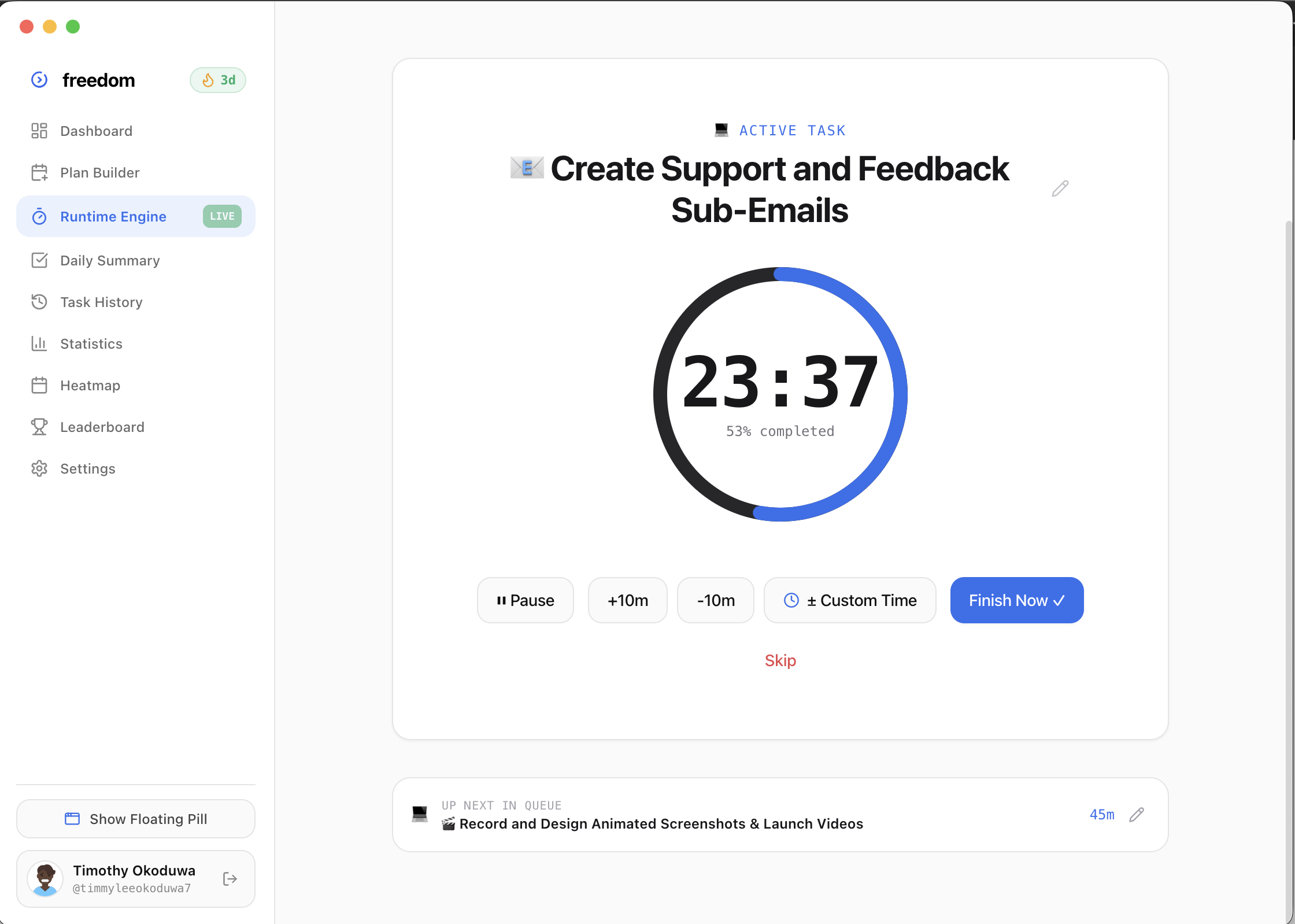
Todo apps ask you to manage them. Freedom manages the clock so you can simply do the work.
Plan once. The day executes itself.
Order your tasks and breaks in the morning. When you hit Start Day, Freedom steps through the queue automatically. No manual clicking or decision fatigue.
Auto-Step Transitions
When a sprint ends, your break starts. When the break ends, the next task is ready to roll.
24-Hour Cap Guard
Prevents scheduling impossible 18-hour marathons with hard time budget checks.
Instant Re-Ordering
Re-order upcoming tasks in seconds without disrupting the currently executing timer.
Spatial Audio Chimes
Gentle audio alerts inform you of phase changes without breaking visual immersion.
Planned vs. Actual. Real accountability.
Checking off a 30-minute task after working on it for 4 hours isn't productivity—it's procrastination. Freedom computes an honest Productivity Score from 0 to 100 each day.
Exact Duration Math
Compares planned budget versus actual seconds spent to quantify your pacing precision.
75% Streak Requirement
Vanity checkboxes don't count. You only keep your streak alive when you finish at 75%+.
Transparent Dial
See completion ratios, overtime deductions, and accurate flow benchmarks at a glance.
Automated Standups
Generates instant markdown standup bullet points ready to copy to Slack or Linear.
A calm capsule pinned over your work.
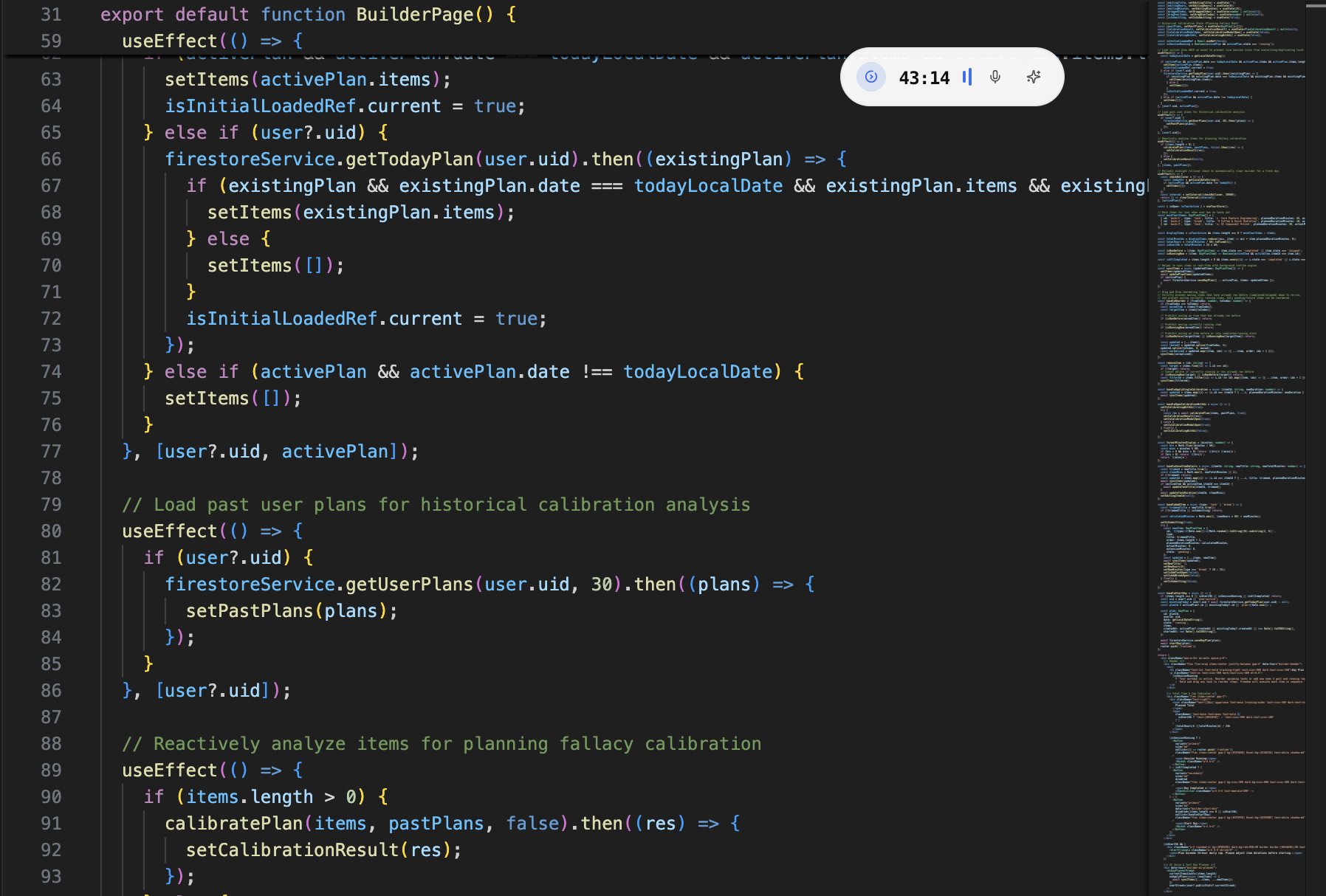
Never Alt-Tab or switch desktops to check your timer. Freedom floats quietly over VS Code, Figma, or Chrome with your current task and remaining time.
Zero App-Switching
Stays pinned in your corner. Completely unobtrusive while keeping deadlines top of mind.
Voice Quick-Commands
Tap the microphone or use the global shortcut to dictate notes or extend timers hands-free.
1-Click Quick Extends
Deep in flow? Add +5m or +15m with a single click directly on the floating capsule.
Crosshair Vision
Point crosshair at any terminal error or confusing design layer for instant AI assistance.
Crash-proof. Sleep-proof. Offline-ready.
Most web timer tools fail when your laptop sleeps or Wi-Fi drops. Freedom anchors state to fixed OS timestamps and writes to local disk on every transition.
Zero Drift Epoch Math
Uses true wall-clock timestamps rather than JavaScript setInterval counters that slow down.
Sleep Auto-Detection
Close your laptop lid and reopen it: Freedom automatically detects sleep and preserves state.
100% Local-First
All daily plans, task notes, and logs live on your device in plain JSON. No cloud dependency.
1-Click Crash Resume
If your system powers down or reboots, Freedom restores your active task with one click.
Everything built to power your focus.
From automated daily summaries to private team leaderboards, discover how Freedom keeps you in flow.
Daily Summary & Accuracy Audit
When your workday ends, Freedom automatically computes your 0-100 Productivity Score. Review your planned duration vs actual duration, break ratios, and completed task breakdown.
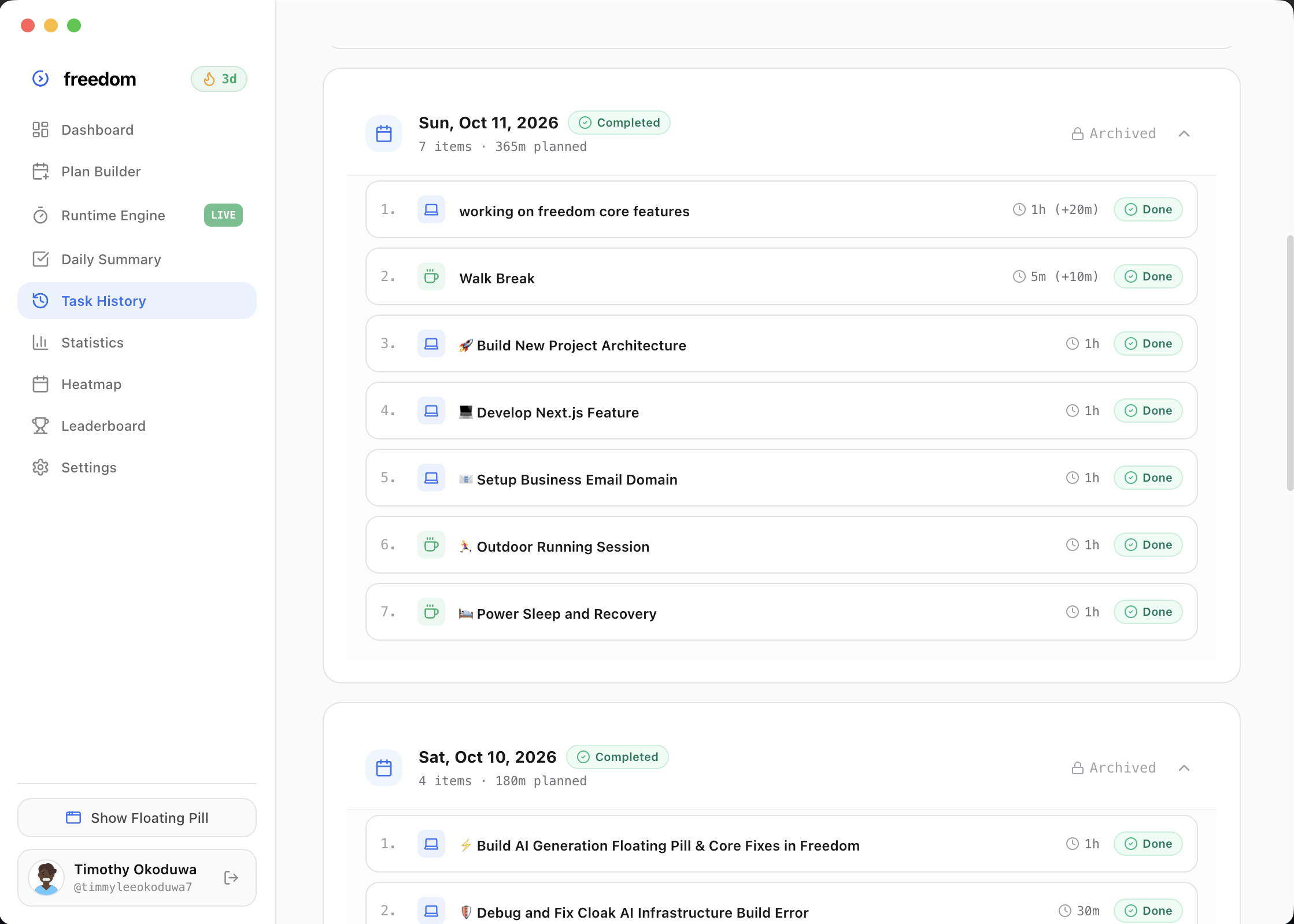
Searchable Task History Timeline
Never lose track of what you accomplished. Every focus session is automatically recorded with timestamps, planned vs actual durations, and task completion tags. Search and audit your past productivity anytime.
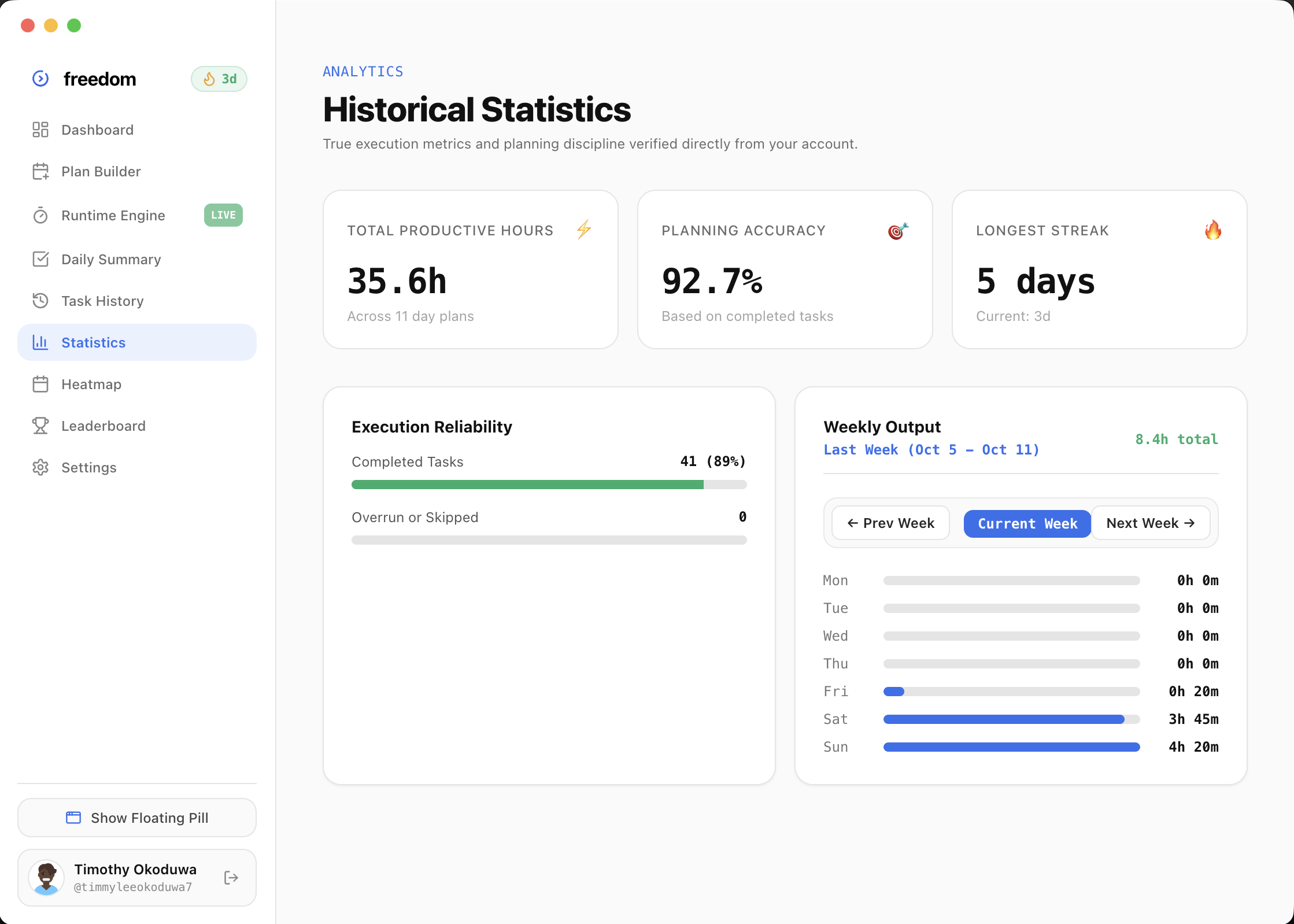
Productivity Statistics & Week History
Analyze your output with weekly trend lines, total productive hours, and average planning score. Use history navigation controls to look back at previous weeks all the way to your first account setup.
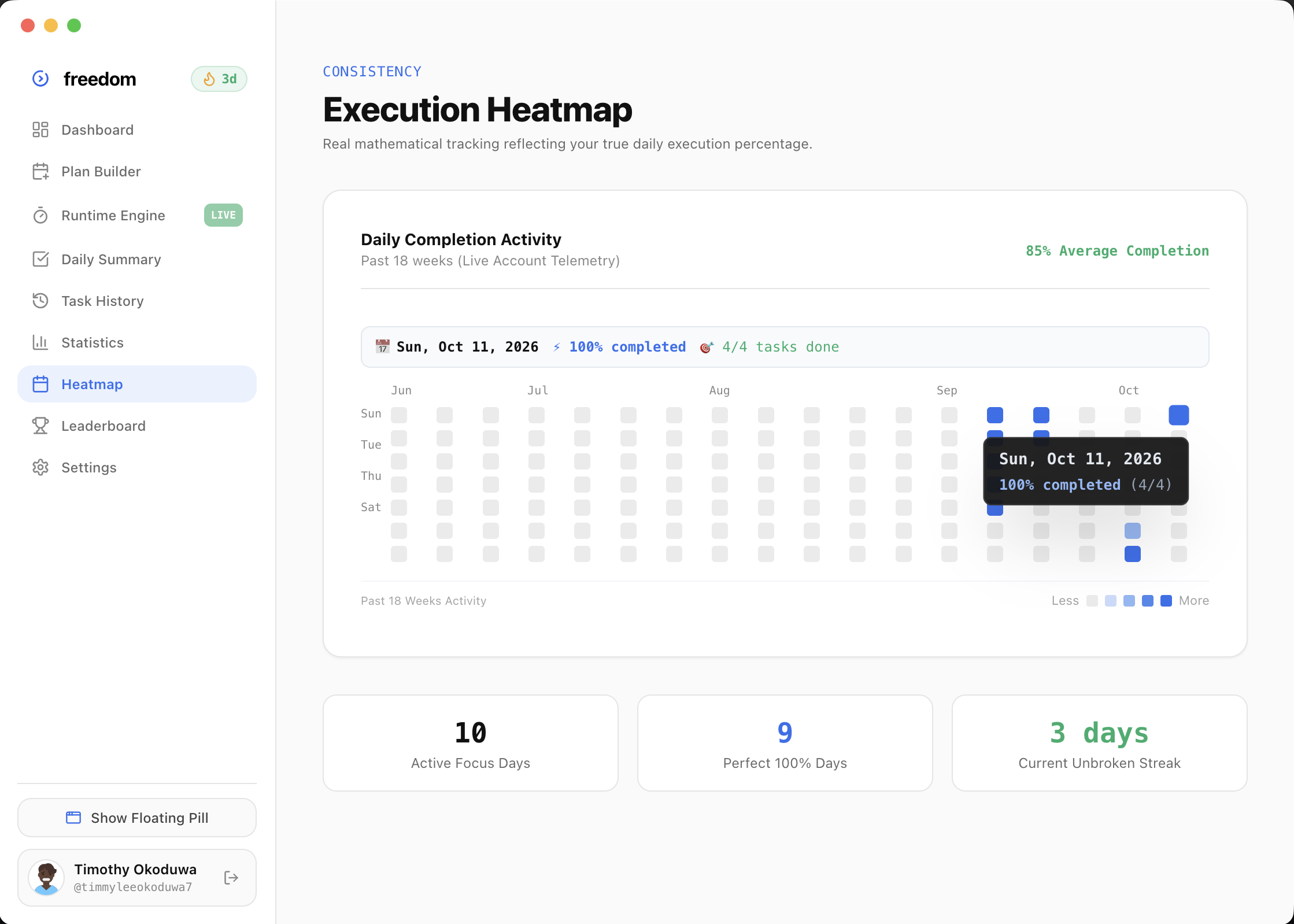
Productivity Heatmap & Streaks
Visualize your long-term consistency with a GitHub-style activity heatmap. Smart edge tooltips prevent UI clipping, while streak flame badges keep you motivated to execute every single day.
Private Teams & Email Invites
Create custom teams, invite teammates using 6-digit codes or direct email, and enjoy strict privacy. Team owners can manage members, send invitations, and delete teams with cascading cleanup.
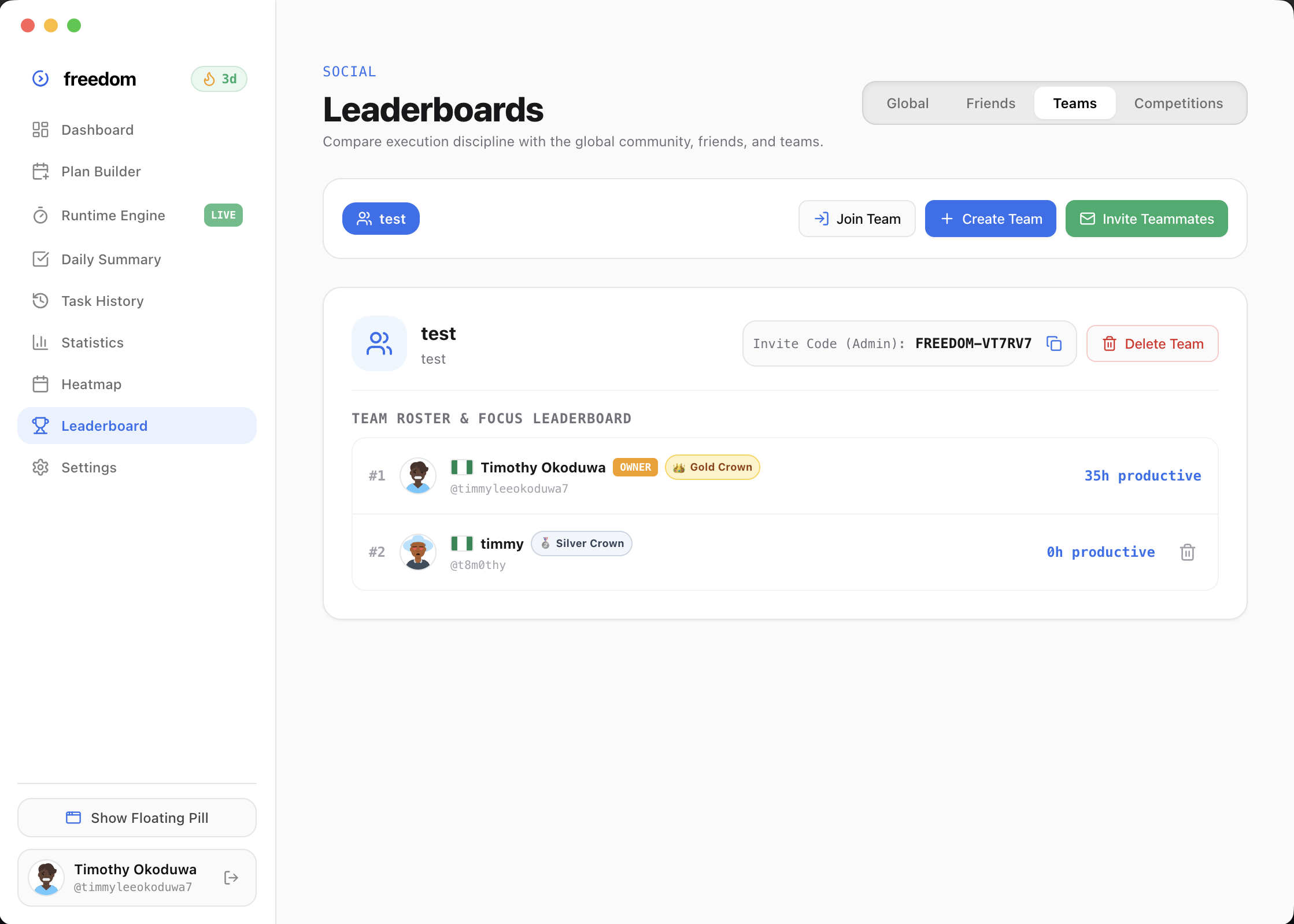
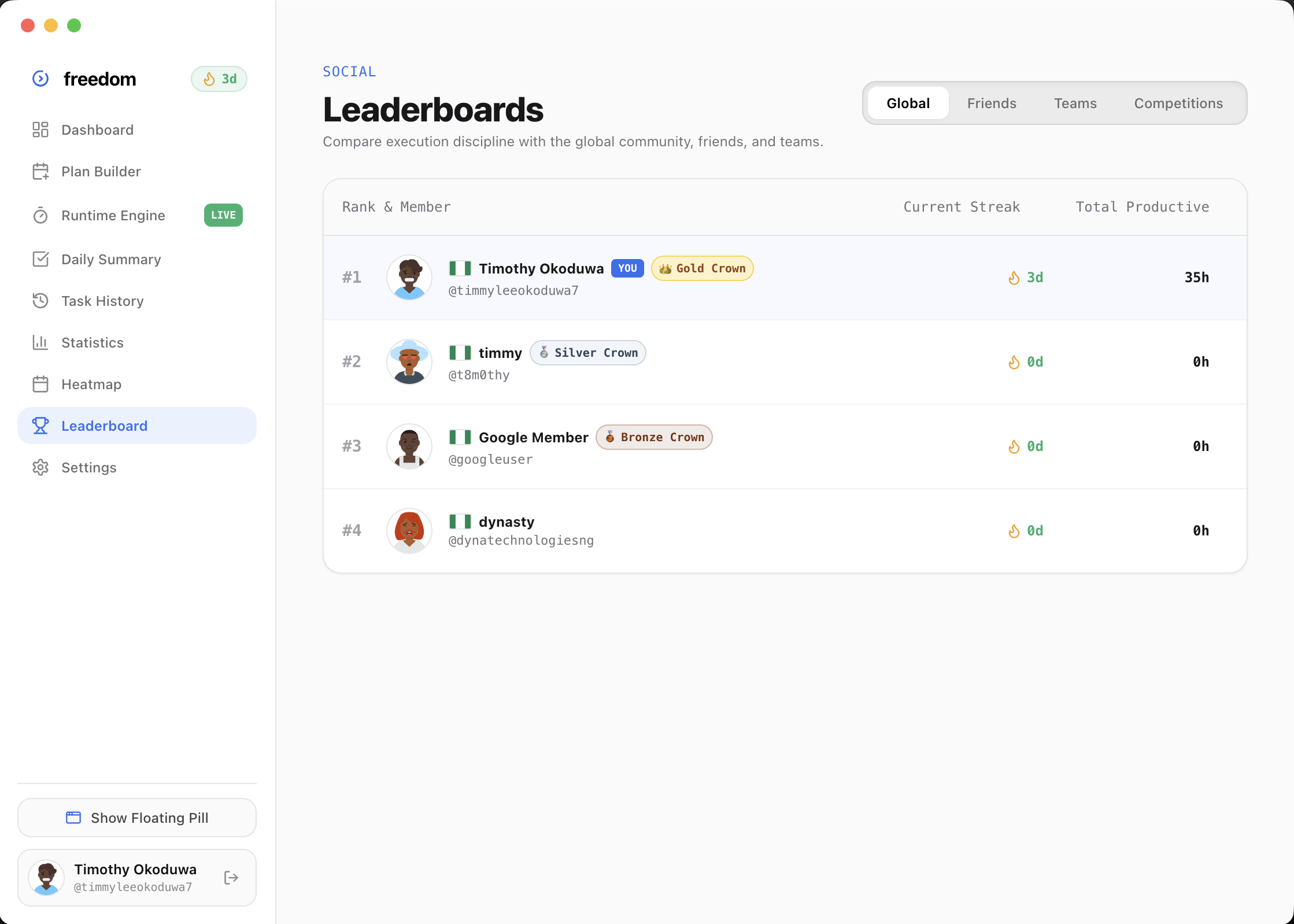
Competitions & Country Flags
Compete on global leaderboards or create private team competitions. Display your country flag (🇳🇬 🇺🇸 🇬🇧 🇨🇦 🇩🇪) based on timezone, track focus ranks in real time, and celebrate high-output milestones.
Ready to take control of your output?
Download Freedom for macOS today and experience hands-free execution.
most productivity tools force you to micro-manage them.
you end up spending more time organizing tasks than actually executing deep work!
we believe your day should run itself.
we wanna take your planned schedule, task queue, and break intervals, and turn them into an automatic execution engine—a calm floating presence on your mac that removes decision fatigue and protects your focus rhythm.
we're building the master execution layer for the next generation of high-agency builders.
it's early! try out what we have today and lmk what you think.|

"Freedom completely eliminated my afternoon focus slump. Hitting "Start Day" and having the floating widget guide me without stealing focus is pure magic."
"Finally an app that measures planning accuracy instead of just mindless checkbox ticking. My Productivity Score went from 68 to 91 in two weeks."
"The Granola-style floating pill is the only way timer apps should exist on desktop. Unobtrusive, calm, and keeps me anchored."
"Laptop died mid-task, rebooted, and Freedom opened with my exact timestamp and 1-click resume ready. That is how software should be built."
"Replaced 4 different apps (Pomodoro, todo list, time tracker, calendar blocks) with Freedom. Hands down the highest ROI tool on my Mac."
"The overtime prompt "+10m / Finish" strikes the perfect balance. No annoying alarms, just gentle accountability."

freedom is 100% free.
no pricing tiers. no credit cards. no locked features. download it and own your day.
$0 / free forever
Every feature, every AI capability, and both Mac & Windows native builds.
EVERYTHING INCLUDED WITH ZERO PAYWALLS:
Control + Option + Space crop to task
frequently asked questions
everything you need to know about freedom and how it runs your day.